The course ahead
Select the right club to stay in the fairway
By Bruce Williams
When flying an IFR route or instrument procedure, you must answer three questions: (1) Is the current or next leg a course or a heading? (2) Are the heading bug and course deviation indicator (CDI) set? and (3) If you’re using a flight director or autopilot, is the correct lateral navigation mode (NAV or HDG) selected?
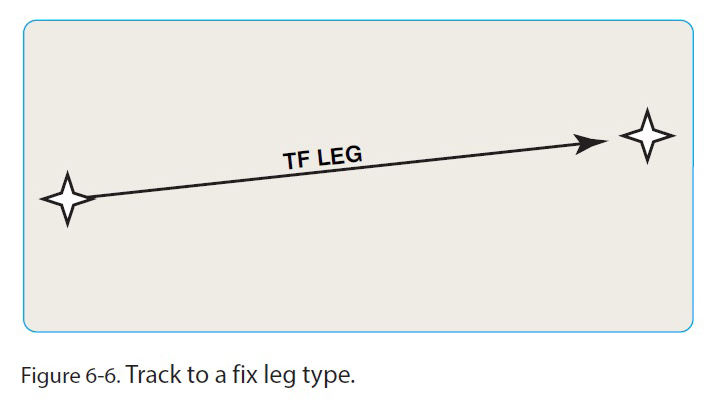
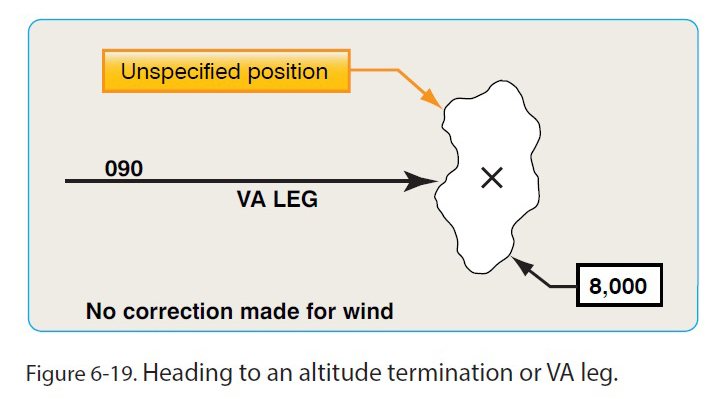
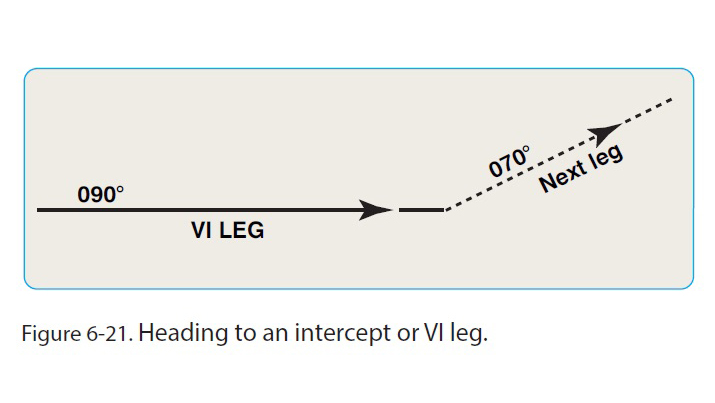
Usually, the answers are obvious. If you’re on an air traffic control-assigned vector or flying a heading specified on a chart, set the heading bug and verify that the nose is turning toward or matches the appropriate number. If the autopilot or flight director is guiding, confirm that HDG mode is selected. When you fly a course—a track over the ground corrected for wind—confirm that the CDI is set to the proper navigation source and the CDI or course needle is aligned with the specified path; and if an autopilot/flight director is involved, that NAV mode is active, or armed if you’re intercepting a course via a heading. (For more information about flying headings and courses with modern avionics, see “Staying Centered with GPSS,” August 2025 AOPA Pilot.)
If you fly a technically advanced aircraft, however, some legs require extra attention, especially when an autopilot or flight director is steering. You must understand the type of leg you’re on or about to join and, crucially, determine if a leg is part of a charted procedure loaded from the database of your navigator.
You can find a primer on leg types in Chapter 6, “Airborne Navigation Databases,” of the Instrument Procedures Handbook (FAA-H-8261-16B). That text describes common segments, such as a “heading to an altitude termination” leg (coded for databases as VA) often used for initial climbs on IFR departures and the beginning of missed approach segments. Other varieties include “track to a fix” (TF), the basic course between two waypoints; and “heading to an intercept” (VI). Don’t memorize the two-letter abbreviations. They are internal to databases and codes for procedure designers, not pilots.
The practical advice you need in the pilot’s seat is in other sources, such as a free PDF guide that you can download from Garmin: “GNS 400(W)/500(W) Series and GTN 6XX/7XX Series Instrument Procedure Leg Awareness.” That booklet explains the legs displayed by your navigator and primary flight display/horizontal situation indicator and clarifies which buttons to push in a given situation. It’s helpful even if your panel includes avionics from other manufacturers, but you should always consult the pilot guides and approved flight manual supplements for the displays and controls in your panel—and confirm the operation of those systems with an instructor or safety pilot on nice VFR days.
For example, the takeoff/go-around (TOGA) feature of a digital autopilot/flight director like the Garmin GFC 500 establishes a stable, wings-level climb at a specific pitch attitude (typically about 7 degrees in piston singles), helpful during a low-IFR takeoff or the initial climb on a missed approach. But in that mode, the autopilot/flight director will not maintain a heading or track a course specified on the chart. When you’re safely away from the ground with the aircraft configured for climb, you must select HDG or NAV mode for lateral guidance and choose the appropriate vertical mode—climb speed (IAS or FLC), climb rate (VS), or pitch (PIT)—to continue the ascent.
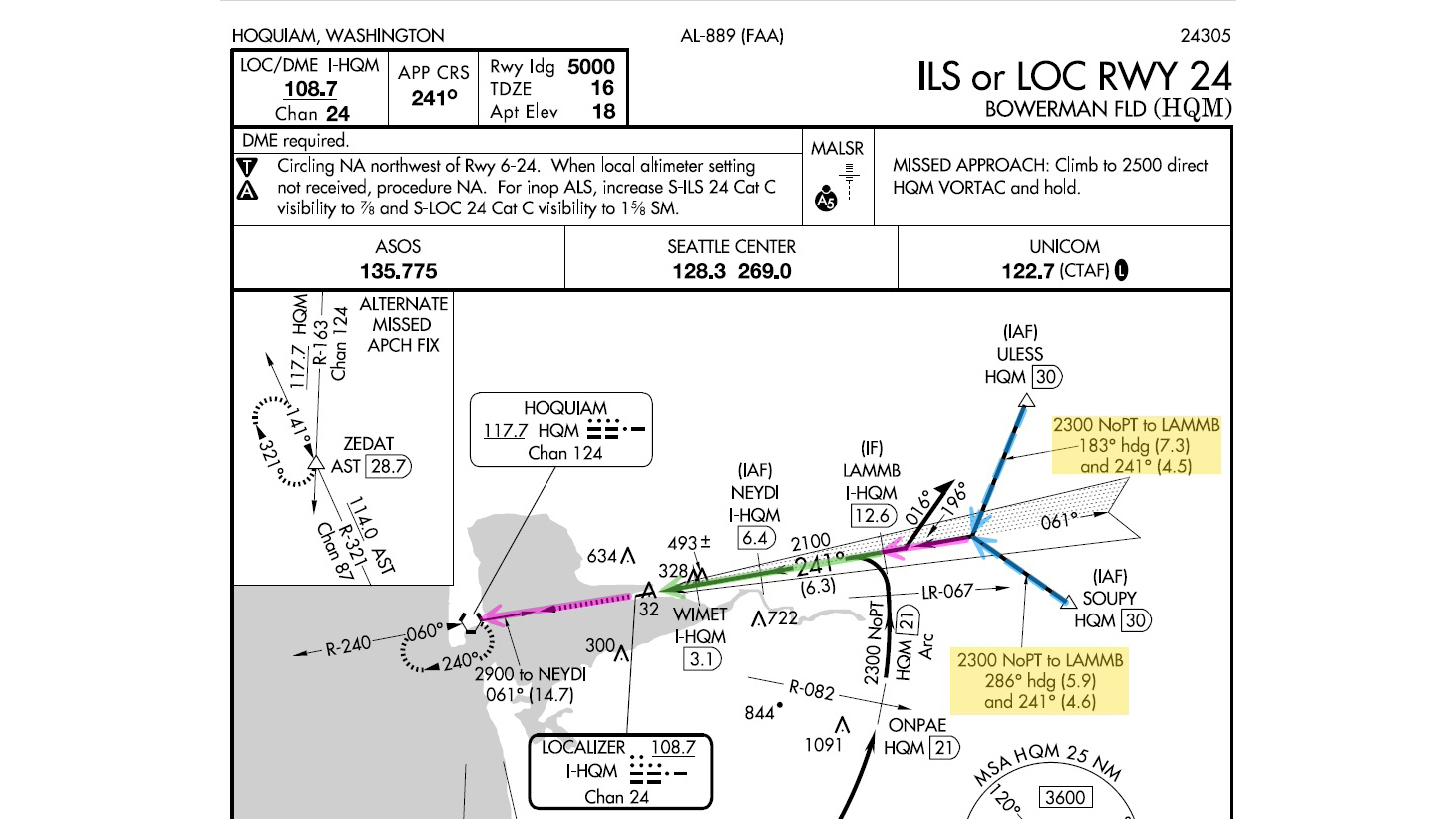
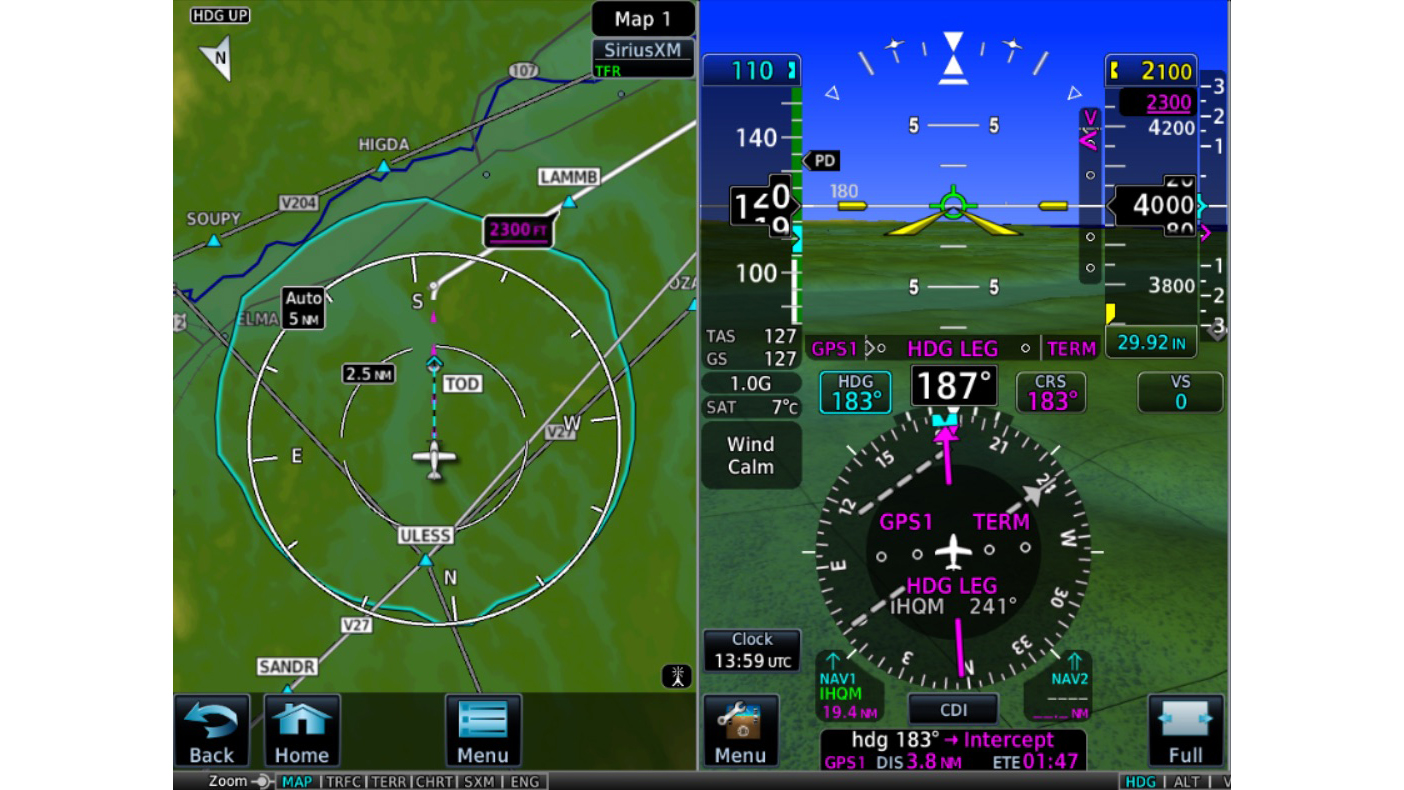
When flying lateral guidance on a published procedure, the distinction between headings and courses likewise can blur. The G500Txi/GTN 750Xi/GFC 600 combination in my panel, for example, supports flying published heading legs with the flight director/autopilot in NAV mode, as when flying the charted heading legs on the ILS or LOC RWY 24 approach at Hoquiam, Washington (HQM). I can leave the GFC 600 in NAV mode to maintain the headings on the legs from the initial approach fixes at ULESS or SOUPY, and then the automation guides me to join and track the extended final approach course outside LAMMB.
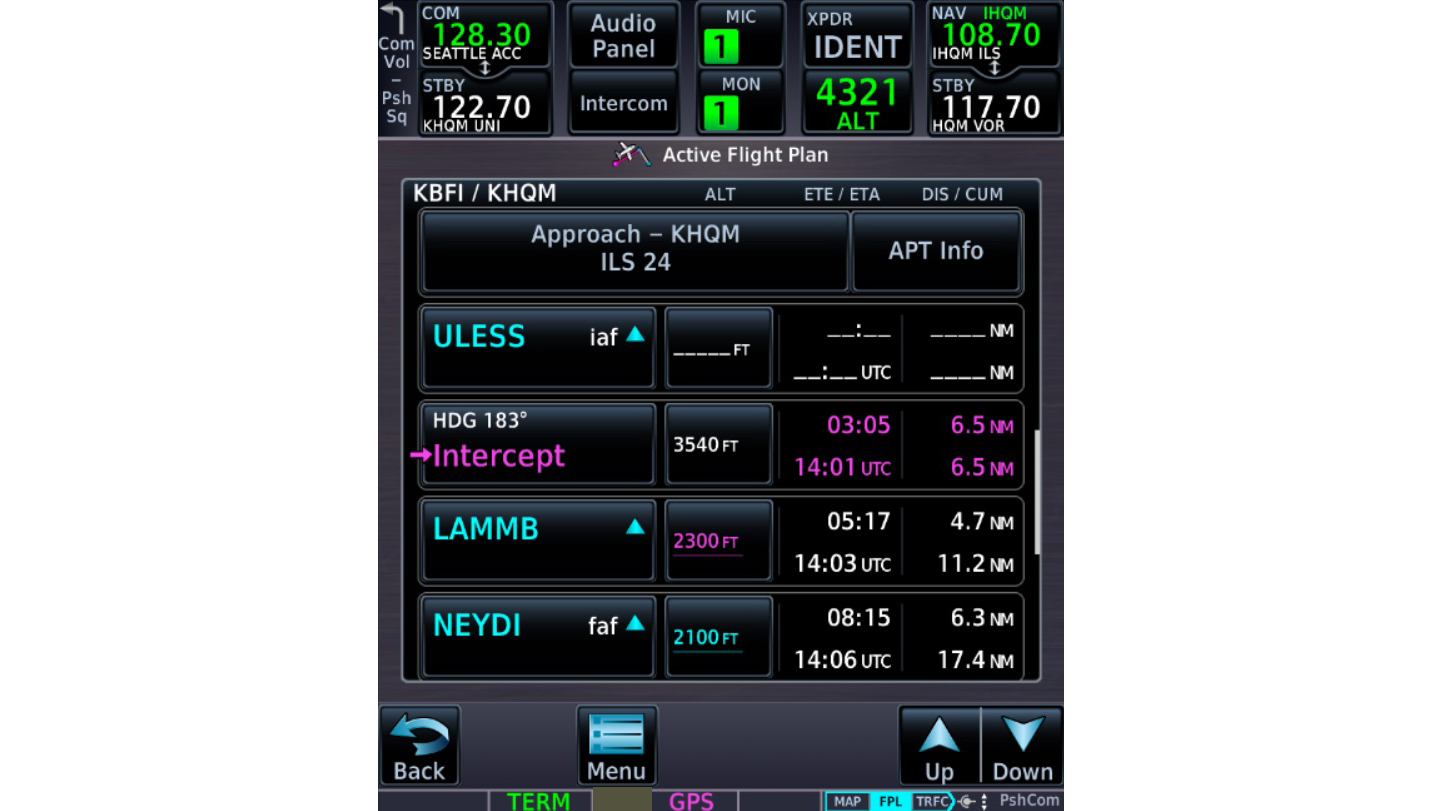
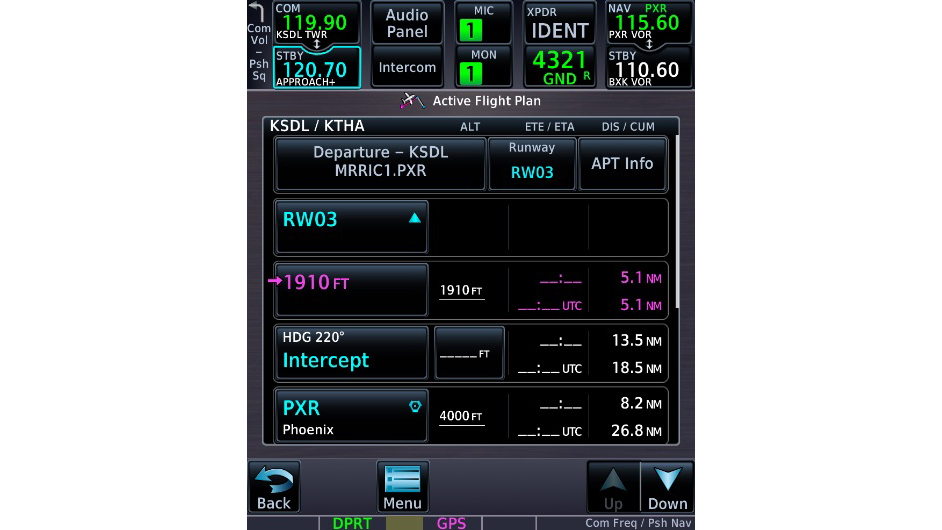
Such avionics also allow you to select NAV mode for takeoff when flying the MARICOPA ONE departure at Scottsdale, Arizona (SDL). The procedure is in the navigation database because it includes specific heading and tracks. For example, when departing Runway 3, the chart directs you to fly a “Climbing left turn to 4,000 via heading 220 degrees and PXR R-321 southeast bound to PXR VORTAC….” But you also must understand how your avionics handle legs like that initial “heading to an altitude” segment. If you select NAV as the lateral mode before takeoff, when you reach 400 feet agl (1,910 feet msl), a navigator like the GTN 750Xi directs the autopilot or flight director to start the turn to 220 degrees and then intercept and track the PXR 321 radial.
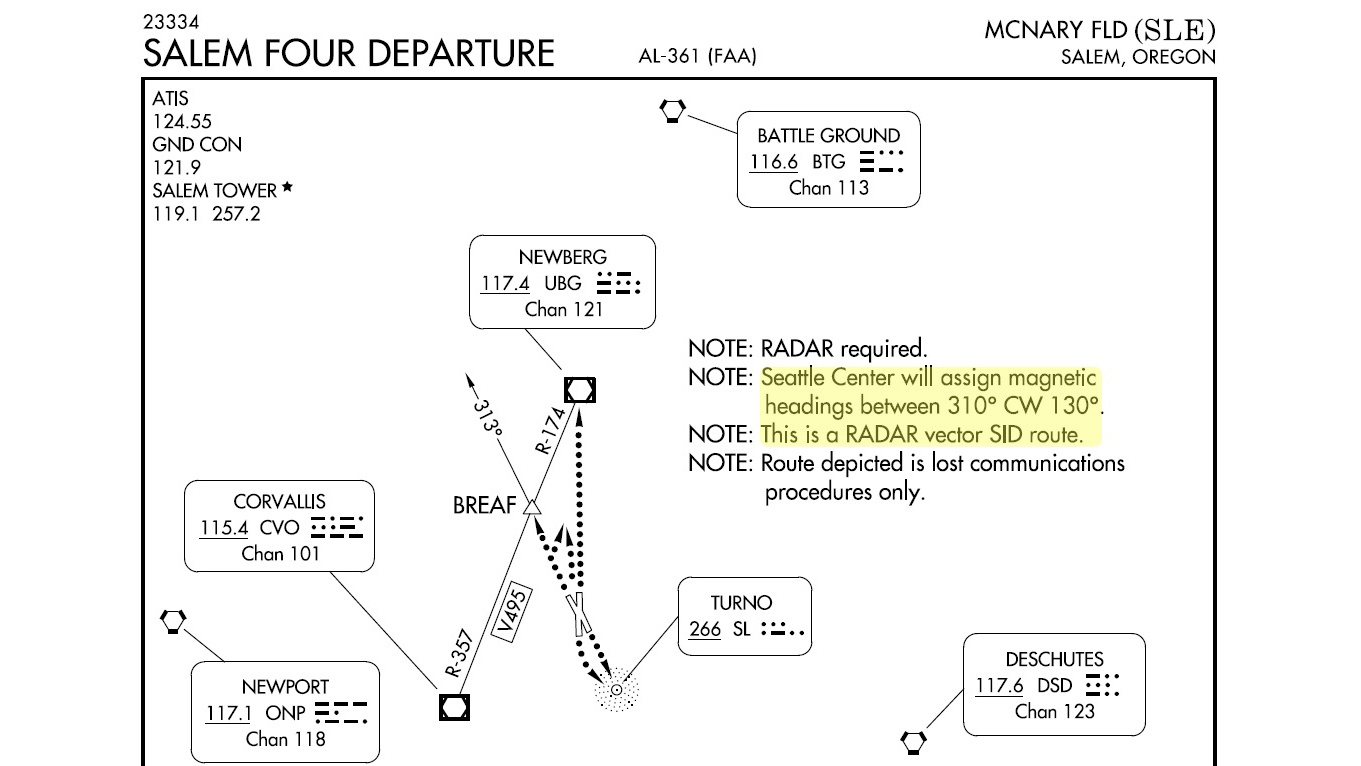
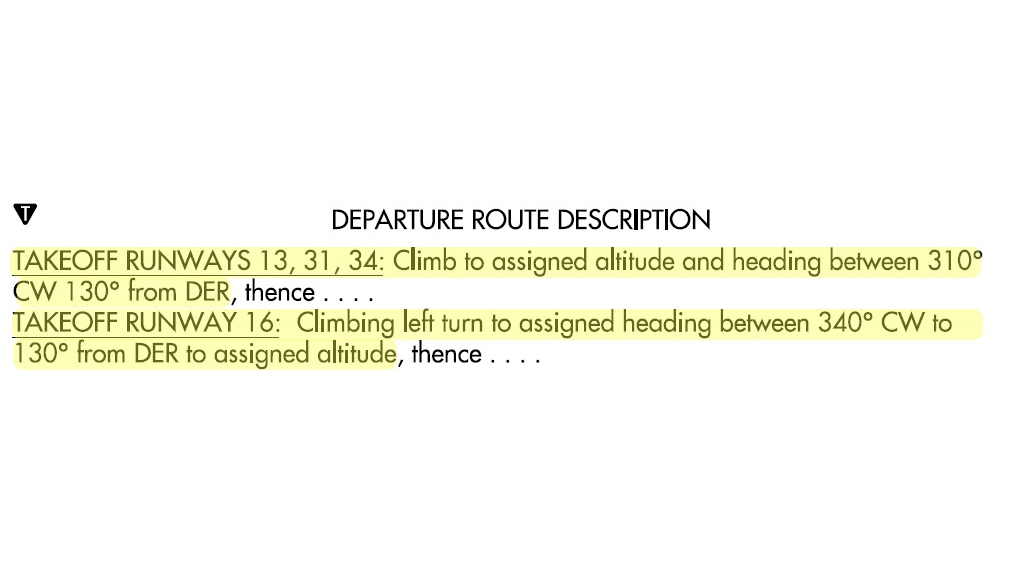
You must select HDG mode, however, on a procedure such as the radar-vector SALEM FOUR departure at Salem, Oregon (SLE). It’s not in the database because it includes a range of headings to be assigned by ATC.
Regardless of the layout of the course ahead, before taking off or beginning an approach, confirm the configuration of your GPS, PFD, and autopilot/flight director to ensure that you stay out of the rough and in the center of the fairway. For more details, see “Get Inside Your Navigator’s Head,” January/February 2026 Flight Training.
Bruce Williams is a CFII and specializes in IFR training and instruction in aircraft with advanced avionics. He owns a Beechcraft Bonanza A36.
Related Articles


