Calling George
When to use an autopilot
You’re a busy single pilot flying IFR in complex airspace.
You’re straight and level on a long ferry trip and have hours to go before landing.
You’re flying with passengers who have questions that only your iPad can answer.
You’re preparing to descend for a night landing at a rural airport with a “black hole” approach.
One thing that each of these diverse scenarios has in common is that an autopilot can help reduce pilot workload, increase navigational accuracy, avoid loss of control, and improve the pilot’s situational awareness.
Autopilots used to be big, heavy, and sloppy—and using them was widely regarded as a crutch that accomplished pilots didn’t need. Autopilots couldn’t hold headings or altitudes very well, quit in turbulence, and wandered so much during IFR approaches that they’d fail an instrument checkride. These analog, “rate-based” autopilots were generally driven by the turn coordinator, which only provided some roll information.
By contrast, the current generation of digital autopilots are light, draw very little electrical current, and have safety features such as envelope protection that guard against aerodynamic stalls, overly steep banks, and excessive airspeed. They’re driven by attitude and heading reference systems that provide far more (and more accurate) flight data. They have quick computer processors that make control inputs multiple times every second; they fly with greater precision than any human—and conscientious pilots regard them as important safety tools.
Going through the autopilot’s self-test program prior to takeoff is a key preflight item. Briefing fellow crewmembers—or yourself if you’re flying solo—on when and how you’ll employ the autopilot (and who will enter autopilot commands) should be part of pre-takeoff briefings.
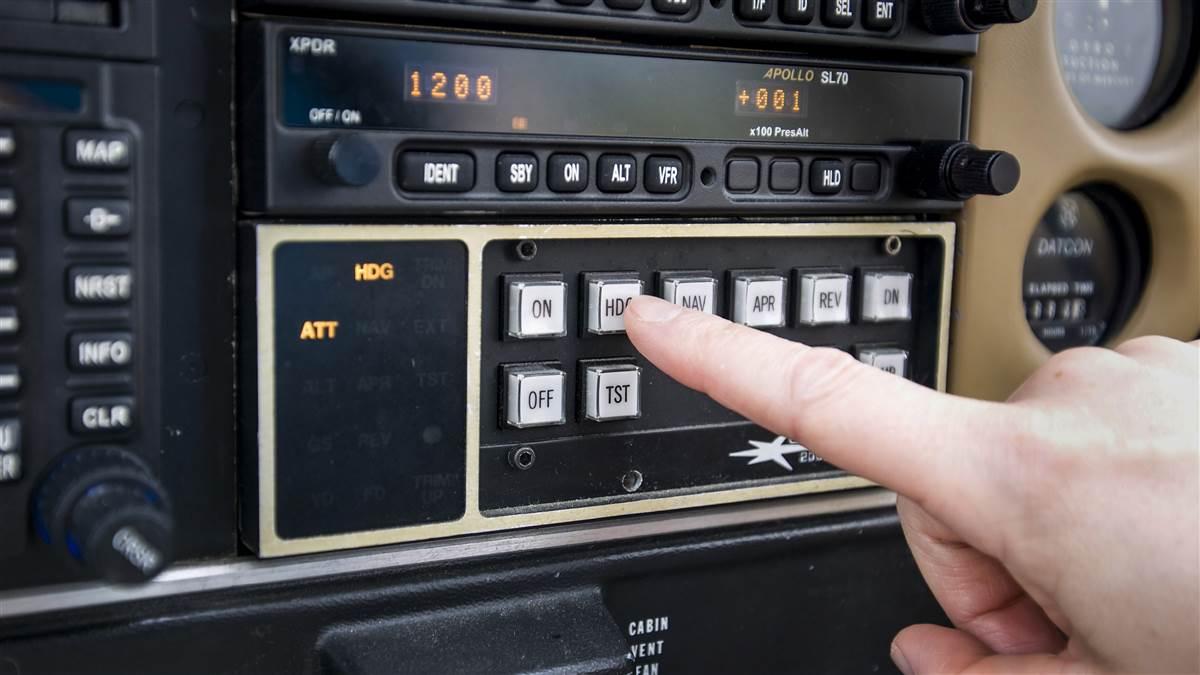
The most basic way to engage modern autopilots is to “start with level.” During cruise, push the “level” button and expect the autopilot to continue flying straight ahead with the wings level at a flat pitch attitude.
Then, engage a roll mode—typically “heading” or “navigation.”
Heading follows the heading bug on the horizontal situation indicator, and this mode is most useful when being vectored by air traffic controllers. Navigation mode is meant to follow a preprogrammed course usually using GPS guidance.
Some autopilots also have a “track” feature that allows pilots to select a desired ground track. Setting the heading bug to 090 in track mode, for example, tells the airplane to fly east, and it’ll continue doing that regardless of the winds aloft.
Once you’ve set a roll mode, the next step is choosing a vertical mode. That’s typically “altitude” if you want to maintain your current altitude. You also can choose to climb or descend to a preselected altitude in either a constant “vertical speed” or an exact “indicated airspeed.” Vertical speed is used for most climbs and pretty much all descents. Pick a value, 500 feet per minute for example, and adjust as desired.
Indicated airspeed (also known as Flight Level Change) is typically used for climbs only—and it can be especially helpful for cylinder cooling in hot weather. Select an airspeed that will provide sufficient airflow for engine cooling—120 knots, for example—and the airplane will maintain that airspeed throughout the climb even as the rate of climb varies.
There’s also a vertical navigation mode that’s extremely useful for managing long descents or crossing particular fixes at preselected altitudes. Vertical navigation shows a “top of descent” marker on the moving map where the airplane should begin descending, and an arc where it will reach the preprogrammed altitude—and the autopilot will make continuous adjustments to keep the airplane on the proper glideslope while the pilot modulates engine power for the desired airspeed.
If the autopilot ever does something unexpected, be ready to click it off—or simplify your autopilot commands. If the autopilot isn’t following vertical guidance during a descent, for example, switch to vertical speed mode. If it’s not following the flight plan, switch to heading mode and make the turns using the heading bug. Or go back to square one and push the Level button and recalibrate.
If you get a traffic warning, turn the autopilot off immediately and hand fly so you can take quick evasive action. Do the same for obstacle or terrain warnings. An autopilot can be a pilot’s best friend once you learn how—and when—to use it.

Related Articles


